Blog

  • How to buy a staff dependant slot

    Buy a staff dependant slot

    1. Log in to your dashboard and click on Plan from the navigation bar Menu
    2. Select the plan by clicking View
    3. Navigate to the staff covered and select the active staff policy
    4. Swipe to the dependant tab and tap New dependant slot
    5. Add the number of dependants you wish to assign to the staff
    6. Proceed to make payment
    7. Congratulations. You have successfully bought a dependant slot
    8. You can proceed to add and activate the staff dependant
  • How to assign permissions to staff members

    Create roles and assign permissions

    To create roles and assign permissions to your business Admin:  

    1. Login to your dashboard and click on settings from the Nav bar Menu
    2. At the top of the screen, tap on Team
    3. Tap on Roles to create a specific function 
    4. Tap on Invite team members to invite the admin to the role created
    5. The admin receives an email and accepts the invite
    6. Admin can now manage plans based on the number of permissions granted.
  • How to deactivate a policyholder

    Deactivate a policyholder from a plan

    To deactivate a staff from a plan: 

    1. Login to your dashboard and click on Plans from the Nav bar Menu
    2. Select the plan by clicking View
    3. On the plan details page, scroll left to Staff covered
    4. Select the staff by checking the box in the top left corner
    5. Tap Deactivate policy
    6. Read through the Terms and Conditions and continue 
    7. Choose Instant or pending deactivation
    8. Proceed to deactivate the staff policy
    9. Check your plan details for the updated premium to be paid upon the next renewal.
  • How to renew your plan

    Renewals

    You can renew ahead of time or renew after the plan has expired. 

    To renew ahead:

    1. For auto renewal: Funding your wallet or adding a debit card to your account will automatically renew your plan before expiration
    2. For manual renewal, log in to your dashboard and click on plan from the navigation bar Menu
    3. Select the plan by clicking View
    4. On the plan details page, Tap renew ahead to proceed
    5. The plan info and premium will be generated
    6. Choose your preferred payment method to make payment
    7. Congratulations. You have logged in your plan for renewal

    To renew after the plan has expired: 

    1. Log in to your dashboard and click on plan from the navigation bar Menu
    2. Select the expired plan by clicking View
    3. On the plan details page, tap Renew expired plan to proceed
    4. The plan info and premium will be generated
    5. Choose your preferred payment method to make payment
    6. Congratulations. Your plan has been renewed.
  • How to remove a staff policy

    Remove staff

    To remove a staff from your business dashboard: 

    1. Login to your dashboard and click on staff from the Nav bar Menu
    2. Select the staff and click View
    3. On the left side of the screen, tap on Remove staff
    4. Read through the Terms and Conditions and continue
    5. Input the password you used to create your account
    6. The staff will be successfully removed from your business account and won’t appear on the list of staff. They will also lose access to all plan benefits. 
  • How to change your plan

    To change your plan

    1. Log in to your dashboard and click on Plans from the Nav bar Menu
    2. Select the plan by clicking View
    3. At the top right side of the screen, tap More
    4. Click on Edit plan
    5. On the left side of the Nav bar, tap on Change Plan
    6. Choose the plan you would love to change to. 
    7. Proceed to complete the payment. 
    8. Congratulations. You have a new plan which will take effect immediately
  • How to activate a policy

    Activate an added policy

    To activate a policy:

    1. Log in to your dashboard and click on Plans from the Nav bar Menu
    2. Select the plan by clicking View
    3. On the plan details page, scroll left to Staff/vehicle/gadget covered
    4. On the pending policy tab, tap on the awaiting policy you wish to complete its registration
    5. To activate a pending policy, you need to provide and upload
      • For health: the staff DOB and a clear image picture
      • For auto: Vehicle license, proof of ownership document, and conduct a pre-inspection. 
      • For gadget: Purchase receipt, a full snapshot of the gadget, proof of ownership document and conduct a pre-inspection. 
      • For travel: International Passport and other staff information.
    6. Policy certificate will be generated once activation is completed.

  • Buying of travel plan

    How to Purchase MyCoverGenius Travel Insurance

    1. On the Nav menu bar, click on products
    2. Select a Travel from the different available products.
    3. Read through the benefits and click on Get covered.
      • Other information displayed is:
        • How to get covered
        • Need to know
        • How to claim
    4. Choose to purchase either manually or via batch upload. 
      • “For manual upload”, provide destination details to calculate the cost
      • “For batch upload”, upload the sheet following the instruction manual

    Proceed to Complete payment via “funded wallet or pay online”

  • Buying of auto plans

    How to Purchase MyCoverGenius Auto Insurance

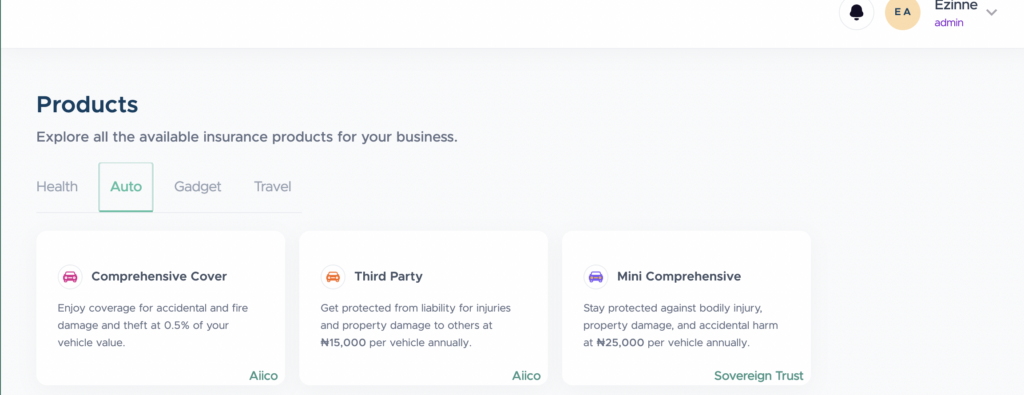
    list of our Auto insurance products

    1. Log in to your dashboard.
    2. On the Nav menu bar, click on products
    3. Choose a plan from the available auto products.
    4. Read through the benefits and click on Get covered.
      • Other information displayed is:
        • How to get covered
        • Need to know
        • How to claim
    5. If you selected the Comprehensive auto plan, you can choose to make a purchase manually or via batch upload
      • “For manual upload”, provide vehicle details to calculate the total cost
      • “For batch upload”, upload the sheet following the instruction manual to calculate the cost. 
    6. If you selected  the third-party/mini-comprehensive plan, proceed to provide vehicle details to calculate the plan cost
    7. Proceed to Complete payment via “funded wallet or pay online”
  • Buying of gadget plans

    Buying of gadget plans

    How to Purchase MyCoverGenius Gadget Insurance 

    1. Log in to your dashboard.
    2. On the Nav menu bar, click on products
    3. Choose a plan from the available gadget products.
    4. Read through the benefits and click on Get covered.
      1. Other information displayed is:
        • How to get covered
        • Need to know
        • How to claim
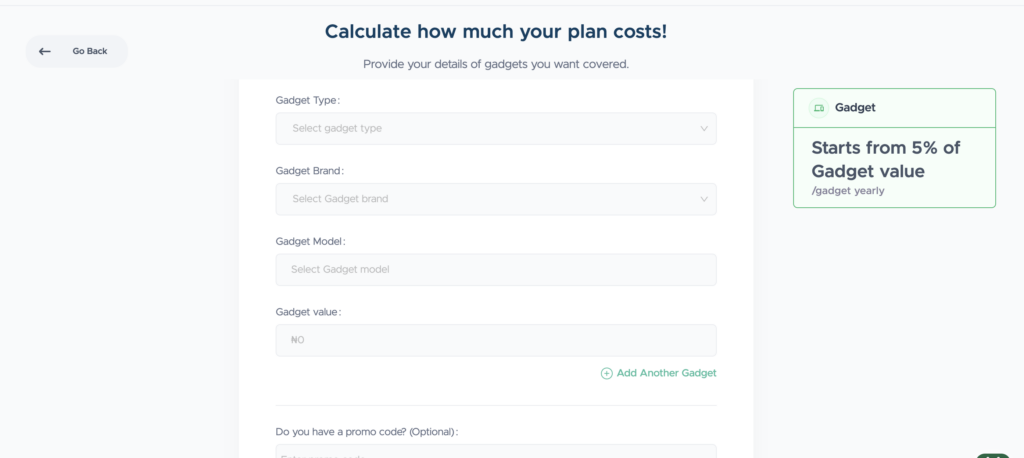
    5. Choose to purchase either manually or batch upload
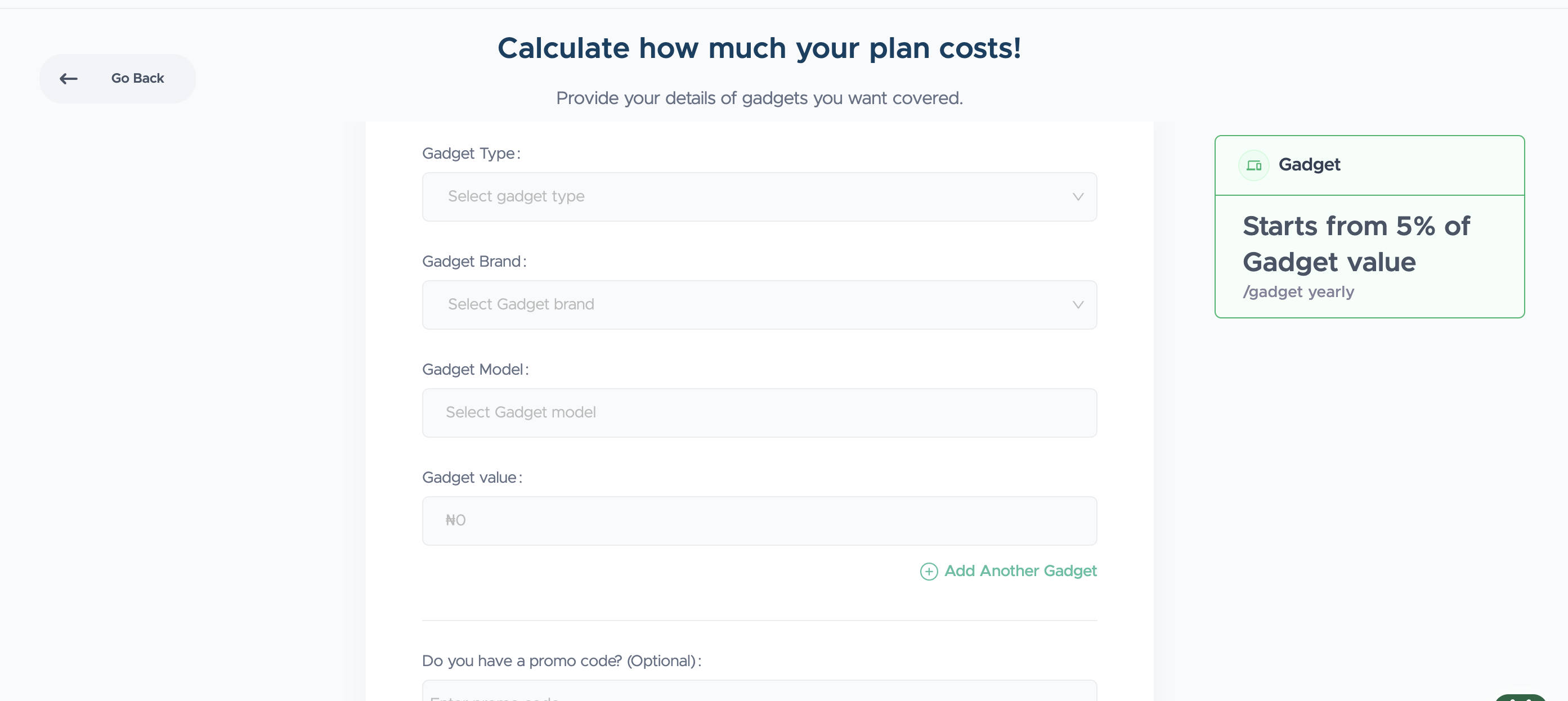
    6. “For manual upload”, provide gadget details to calculate the cost
    7. “For batch upload”, upload the sheet following the instruction manual
    8. Proceed to Complete payment via “funded wallet or pay online”
  • 7 Strategies To Boost Employee Retention

    7 Strategies To Boost Employee Retention

    It’s not breaking news that companies rely on employees to keep their businesses running. In 2022, PwC conducted a survey. They found that 71% of employees resign within 12 months of starting a job. This is why an employee retention strategy is important.

    Finding the right talent isn’t easy. Keeping talents is another struggle. Companies need the right people with the skills, expertise, and knowledge to run the company. 

    Employee turnover can have a massive impact on business performance. Because of this, HR professionals are adopting employee retention strategies to give employees more reasons to stay.

    Using the right strategy for employee retention can help you improve employee satisfaction and decrease costly turnover. Stick around with us because, in this article, we’ll share tactics you can use to your advantage. 

    What is An Employee Retention Strategy?

    Employee retention is the ability of an organisation to keep its employees and reduce turnover. They must retain knowledgeable, skilled, and highly productive employees because losing them can affect overall performance. 

    Employee retention has always been a priority for HR teams, but it has become more critical today because filling open positions is challenging. 

    Now, of course, people will always leave. You can expect to lose some of your employees every year. People naturally move on for various reasons, such as new opportunities, relocation, or life changes.

    Some turnover is inevitable, but high turnover can be costly. This will lead to increased costs related to hiring, onboarding, and training new employees.  

    To address this, businesses develop employee retention strategies to improve job satisfaction, engagement, and loyalty. A well-executed retention plan helps reduce turnover and enhances overall company success.

    What is the Importance of an Employee Retention Strategy?

    Using retention strategies in your organisation leads to benefits that may not be directly obvious. Here are a few reasons why it’s important to adopt a retention strategy: 

    • Increased employee loyalty
    • Reduced hiring, training, and staffing costs
    • Improved morale and workplace positivity
    • Increased productivity
    • A more skilled workforce
    • Better brand reputation
    • Enhanced customer experiences
    • Improved employee experience

    The Top Reasons Why Employees Leave

    Aside from a personal choice to change careers and things beyond a company’s control, employees can leave for the following reasons:

    • Lack of career development
    • Poor work-life balance
    • Poor management 
    • Unsatisfactory compensation and benefits

    7 Strategies for Improving Employee Retention

    Retaining employees is important for any business that wants to maintain productivity, reduce hiring costs, and build a strong organizational culture. You can create a positive environment that encourages long-term commitment when you adopt these strategies. 

    1. Understand what makes employees leave or stay

    You first need to understand why employees choose to leave or stay. This is why exit interviews are important; they can reveal reasons for turnover. Conduct interviews with people who have been with the company for a while. This helps you understand what employees appreciate about the company. Employee surveys and feedback mechanisms can provide insights into job satisfaction, workplace culture, and areas for improvement. Employees stay when they feel valued and supported, and see opportunities for professional development. 

    2. Promote a positive work environment

    A healthy work environment plays a huge role in employee satisfaction. And a toxic work culture leads to dissatisfaction and high turnover. Encourage open communication, recognise achievements, and promote inclusivity. This will create an environment where employees feel valued and motivated to stay.

    3. Encourage a healthy work-life balance

    Work-life balance is a key factor in employee satisfaction. A company that values work-life balance builds loyalty and ensures employees remain engaged and productive in the long run. Employees who feel overworked and stressed might leave for a company that values their well-being. You can support work-life balance by:

    • Offering flexible work arrangements such as remote work or hybrid schedules.
    • Encouraging employees to take paid time off and vacations.
    • Setting clear boundaries to prevent excessive overtime.
    • Providing wellness programs that promote relaxation and stress management.

    4. Encourage collaboration

    Teamwork fosters a sense of belonging and improves engagement. You can implement team-building activities, create cross-functional projects, and encourage mentorship programs to strengthen collaboration and workplace relationships.

    5. Invest in learning and development

    Employees value opportunities for career growth and skill development. They are more likely to stay when they see growth opportunities. Providing training programs, career development resources, and upskilling opportunities helps employees feel motivated to advance within the company.

    6. Offer competitive salary and benefits

    Compensation plays an important role in employee retention. If employees feel underpaid or undervalued, they’ll likely seek better opportunities. You need to stay competitive with your offers. Here are a few ways to go about this: 

    • Conduct market research to ensure salaries are in line with industry standards.
    • Offer performance-based bonuses and incentives.
    • Provide benefits such as retirement plans and paid leave.

    7. Invest in health insurance for your staff 

    Health is wealth. It’s a cliché, but it’s true. Employees value organisations that prioritise their well-being. Healthy employees are happier, more productive, and less likely to leave due to burnout or stress-related issues.

    Health insurance can give your employees access to doctor consultations, gyms, therapy sessions, eye care, and more. So they don’t have to worry about paying out of pocket, which can take a toll on their productivity. 

    Rounding Up  

    Adopting an employee retention plan is an investment in the future. It’s not just about preventing high turnover; it’s about creating an environment where employees feel valued and motivated to grow with the company. Investing in your employees ultimately leads to a stronger, more successful organisation.
  • How to add a policyholder to a plan

    Add a policyholder to a plan

    To add a staff, vehicle, or gadget to a plan:

    1. Log in to your dashboard and click on Plans from the Nav bar Menu
    2. Select the plan by clicking View
    3. At the top right side of the screen, tap More
    4. Select Add Staff/vehicle/gadget
    5. Choose a method of adding to the plan – Manual, batch, or staff list. 
    6. Complete the process by providing the basic information needed to invite to the plan.
    7. You can choose to activate the policy immediately or afterward.  

    Note: If there is no available slot, you will make payment for the policy added.

  • Onboarding as an individual customer

    Onboarding as an individual customer

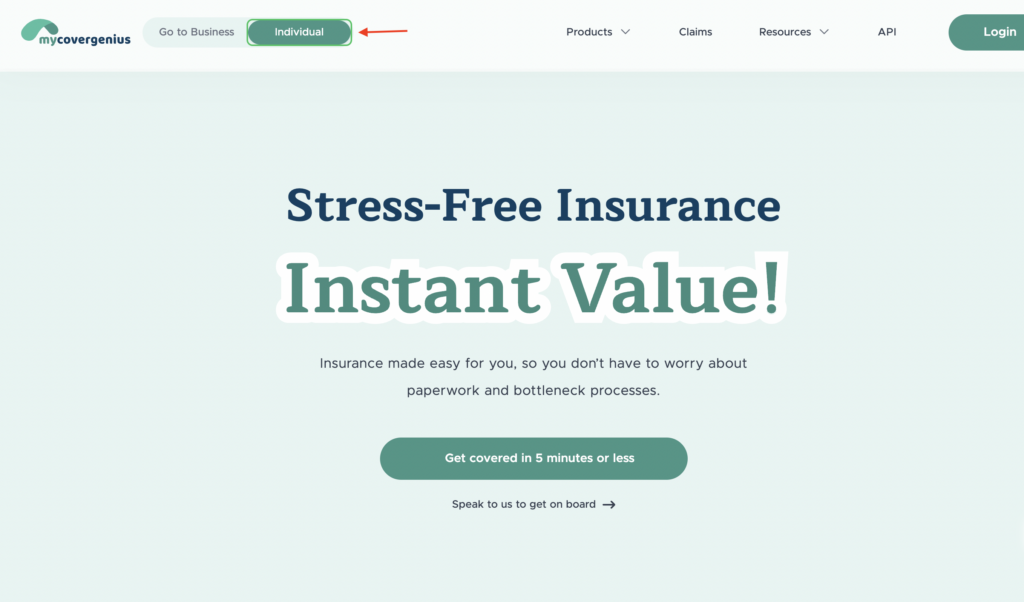
    The default view is set to the Business page on the landing page. If you’re on a desktop, toggle to Individual. If you’re using a phone, tap the dropdown at the top of your screen to select Individual.

    1. Click on Get covered in 5 minutes or less.
    2. Select a product—Health, Auto, Gadget, or Travel that best suits your needs. 
    3. Read through the benefits and continue with the preferred plan.
      1. Other information displayed is:
        1. How to get covered
        2. Need to know
        3. How to claim
    4. Provide personal details for authentication.
    5. Set up a password to complete the process.
    6. Verify account via OTP sent to your valid email address
    7. Congratulations. Your account has been created.
  • Onboarding as a business customer

    Onboarding as a business customer

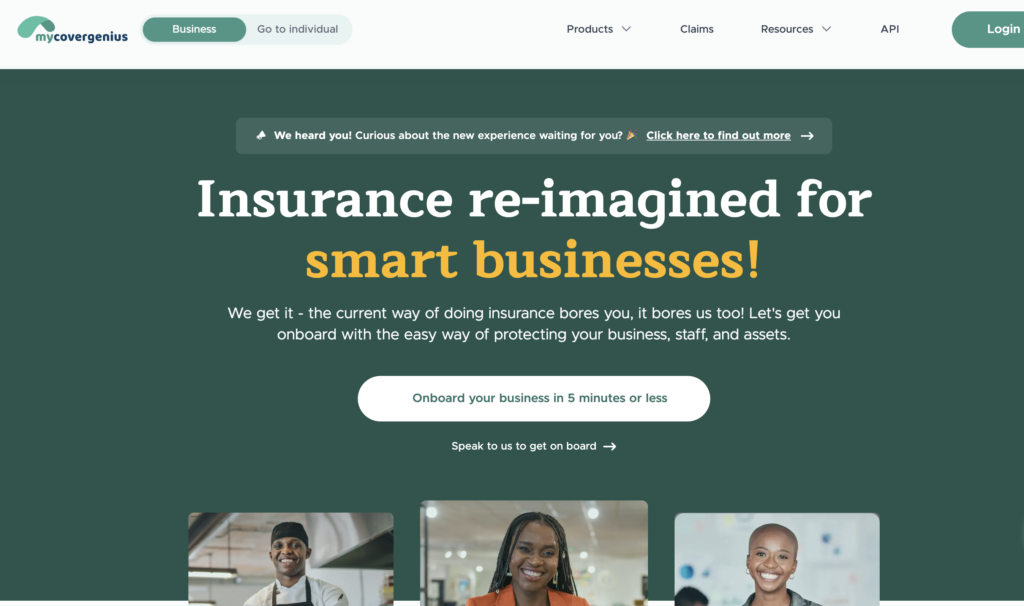
    The default view is set to the business page on the landing page.

    1. Click Onboard your business in 5 minutes.
    2. Select a product—Health, Auto, Gadget, or Travel that best fits your business needs. 
    3. Read through the benefits and continue with your preferred plan.
      • Other information displayed is:
        • How to get covered
        • Need to know
        • How to claim
    4. Provide company and admin details for authentication.
    5. Set up a password to complete the process.
    6. Verify account via OTP sent to your valid email address
    7. Congratulations. Your account has been created.
      1. You can proceed to buy a plan for a smoother onboarding process
      2. Click on Buying of products to view how to buy a plan
  • Buying of health plans

    How to Purchase MyCoverGenius Health Insurance

    1. Log in to your dashboard.
    2. On the Nav menu bar, click on products
    3. Select a plan from the different available health products.
    4. Read through the benefits and click on Get covered.
      • Other information displayed is:
        • How to get covered
        • Need to know
        • Hospital lists
    5. On the plan details page, choose between the standard and family plan for your staff members
    6. Input other necessary details to calculate the cost.
    7. Proceed to Complete payment via “funded wallet or pay online”